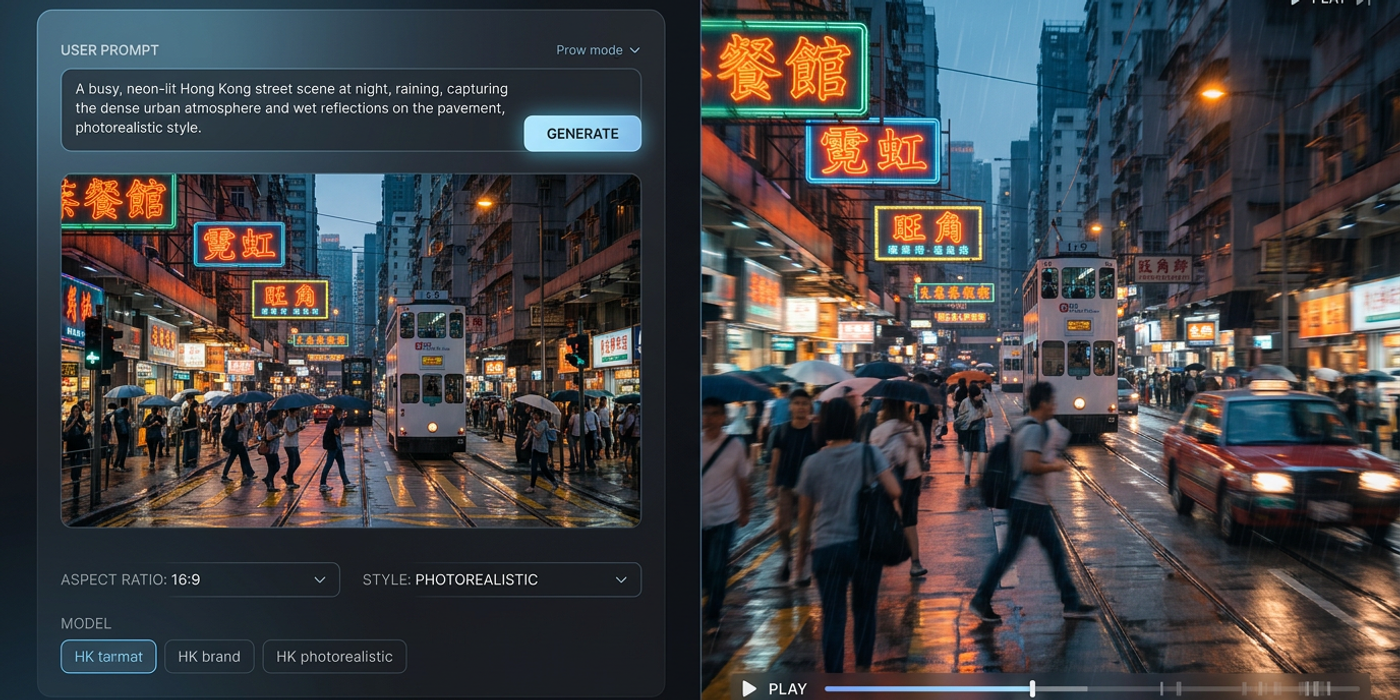
Confused about text-to-image vs image-to-video AI? Learn how each technology works, when to use them, and how Cooly Studio combines both for powerful creative workflows.
If you've been exploring AI creative tools, you've probably seen two terms everywhere: text-to-image and image-to-video. They sound similar, but they do very different things — and knowing the difference is the key to picking the right tool for your project.
Let's break down how each technology works, what they're best at, and when to use them together.
What Is Text-to-Image AI?
Text-to-image AI generates a static image from a text description. You type a prompt like "a futuristic Hong Kong skyline at sunset, neon lights reflecting on wet streets, cyberpunk style" — and the model produces a picture.
How it works: These models (like Seedream 4, Flux Schnell, and Nano Banana 2) have been trained on millions of image-text pairs. They learn the relationship between words and visual elements — composition, colour, lighting, texture, and style. When you give them a prompt, they reconstruct those elements into a new image that matches your description.
Best for: - Concept art and mood boards - Product photography mockups - Social media graphics - Brand style exploration - Quick visual brainstorming
Popular models on Cooly: - Seedream 4 — excellent photorealism and prompt adherence - Nano Banana 2 — fast generation with impressive quality for the speed - Flux Schnell — lightweight and great for rapid iteration
What Is Image-to-Video AI?
Image-to-video AI takes a static image (or a text prompt that generates one first) and animates it into a video clip. Instead of describing a scene and getting a still, you describe a scene and get motion — a few seconds of video that brings your image to life.
How it works: Image-to-video models (like Veo 3.1, Kling 3.0, and Seedance) add a temporal dimension. They understand not just what something looks like, but how it might move — how water flows, how fabric drapes, how light shifts across a scene. Some models accept just a text prompt (text-to-video), while others require a starting image (image-to-video). The best results often come from combining both: generate the ideal image first with text-to-image, then animate it.
Best for: - Marketing videos and ads - Cinematic b-roll footage - Product demonstrations - Social media content loops - Storyboarding with motion
Popular models on Cooly: - Veo 3.1 — Google's latest, excellent cinematic quality and prompt understanding - Kling 3.0 — strong motion coherence and longer clips - Seedance — good for stylised and artistic animations
Key Differences at a Glance
| Aspect | Text-to-Image | Image-to-Video | |--------|---------------|----------------| | Output | Static image (PNG, JPG) | Video clip (MP4, GIF) | | Input | Text prompt | Text prompt + optional image | | Dimensions | 2D (width, height) | 3D (width, height, time) | | Generation time | Seconds | Minutes | | Key challenge | Accurate prompt interpretation | Motion consistency across frames | | Best use case | Visual ideation | Storytelling and motion |
The biggest difference? Text-to-image gives you a single perfect frame. Image-to-video gives you a sequence of coherent frames — and that's much harder to get right.
How They Work Together
Here's something many creators miss: you don't have to choose one or the other. The most effective workflow uses both.
In Cooly Studio, you can generate a base image with text-to-image, then pass it directly into an image-to-video model for animation. This gives you full control over the look and the motion:
1. Start with text-to-image — get the perfect composition, lighting, and style 2. Refine the image — use tools like inpainting or negative prompts to polish details 3. Animate with image-to-video — upload your image as the starting frame 4. Iterate — adjust motion prompts, duration, and camera movement
This two-step workflow produces much better results than relying on text-to-video alone, which has to guess both the visual and the motion from text.
When Should You Use Each One?
Use text-to-image when: - You need a single high-quality visual - You're exploring concepts or styles quickly - The final output is for print, web, or social graphics - You want to create reference images for a larger project
Use image-to-video when: - You need motion — even just 3-5 seconds - The content is for video platforms (IG Reels, TikTok, YouTube Shorts) - You want to bring a still concept to life for client pitches - You're building animated storyboards or ad concepts
Use both (in Cooly Studio) when: - You want cinematic quality with controlled motion - You need brand-consistent visuals across frames - You're producing professional marketing content
Frequently Asked Questions
Q: Which is harder — text-to-image or image-to-video? A: Image-to-video is significantly harder because it must maintain coherence across multiple frames. Small mistakes multiply over time, creating flickering, warping, or unnatural movement. Text-to-image only needs to get one frame right.
Q: Can I use text-to-image results as input for image-to-video? A: Absolutely — this is one of the most powerful workflows. Generate your ideal image first, then use it as the starting frame for video generation. Cooly Studio makes this seamless.
Q: Do I need a powerful computer to run these models? A: No — Cooly runs everything server-side. You just need a browser and an internet connection. All the heavy lifting happens in the cloud.
Q: Which model gives the best text-to-image results? A: For photorealism, Seedream 4 leads the pack. For speed, Nano Banana 2 is excellent. For lightweight iteration, Flux Schnell is a solid choice. It depends on your specific needs.
Q: Can image-to-video models work from just text? A: Some can. Veo 3.1 and Kling 3.0 both support text-to-video directly. But starting from an image gives much more control over the final look.
Q: How long does it take to generate an AI video? A: Typically 1-5 minutes on Cooly, depending on model, resolution, and duration. Text-to-image generation takes seconds.
Q: Is AI-generated video ready for professional use? A: Yes — with the right workflow and model selection. For short-form content like social media ads, product teasers, and b-roll, AI video is production-ready today. For longer narratives, it's best used as a tool in a larger pipeline.
Q: What's the single most important thing to understand? A: Text-to-image gives you control over what something looks like. Image-to-video gives you control over how it moves. Master both, and you can create just about anything.